Claude for Research
Skills, Projects and CoWork. Claude's strengths are long-context drafting, careful citation discipline, and structured collaboration with co-authors and RAs.
- Author one Claude Skill for a repeatable scholarly workflow.
- Set up a Project with a curated knowledge base for an active piece of work.
- Make use of at least one connectors to improve output.
Claude
by AnthropicAnthropic's AI assistant: Skills for specialised tasks, Projects for knowledge-based workspaces, and CoWork for collaborative drafting with co-authors and RAs.
Claude Skills
Packaged capabilities, instructions plus optional files and scripts, that Claude can load on demand to perform a specialised task consistently. Think 'a folder of expertise Claude opens when relevant.'
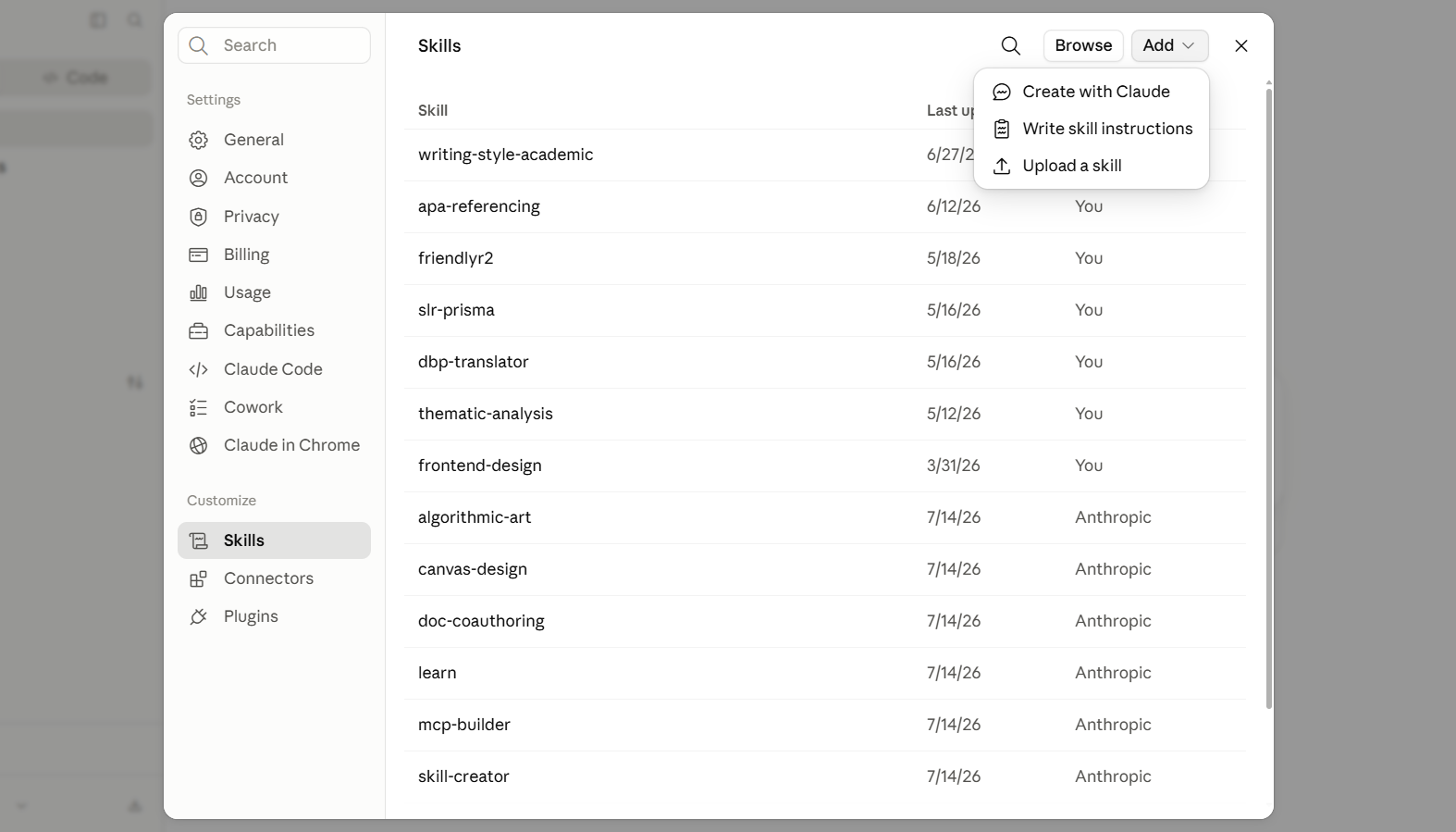
What a Claude Skill actually is
A Skill is a small folder Claude opens on demand: a SKILL.md with instructions and a trigger line, plus optional reference files (style guides, codebooks, exemplars) and scripts. The trigger line is what makes the Skill load reliably. Be specific about the surface (pasted text, uploaded file, keyword) and the job to be done.
Below are three blueprints researchers can copy into SKILL.md and adapt. Each one follows the same shape: purpose → trigger → instructions → files to attach.
Build your own. Three blueprints
Download & install. Community Skills
Skills travel as folders. Clone or download any of the repositories below, then drop the folder into Claude (Settings → Capabilities → Skills → Upload) and enable it. The trigger line inside SKILL.md tells Claude when to load it. Open the file before installing so you know what to expect.
Translates between Malay (Dewan Bahasa & Pustaka conventions) and English with terminology consistency for academic and policy contexts.
github.com/keemanxp/dbp-translator-claude
Formats and validates references to APA 7th edition. Catches missing DOIs, malformed author lists, and inconsistent in-text / reference-list entries.
github.com/keemanxp/apa-referencing-skill
Drafts measured, professional responses to peer-reviewer comments. Classifies each comment, proposes manuscript changes, and keeps a calm academic tone.
github.com/keemanxp/friendlyr2
SKILL.md file. 2) Open Claude → Settings → Capabilities → Skills. 3) Upload the SKILL.md file. 4) Enable it and test with a prompt that matches the trigger line. 5) Audit periodically. Remove Skills you no longer use so they don't compete for the trigger.Claude Projects
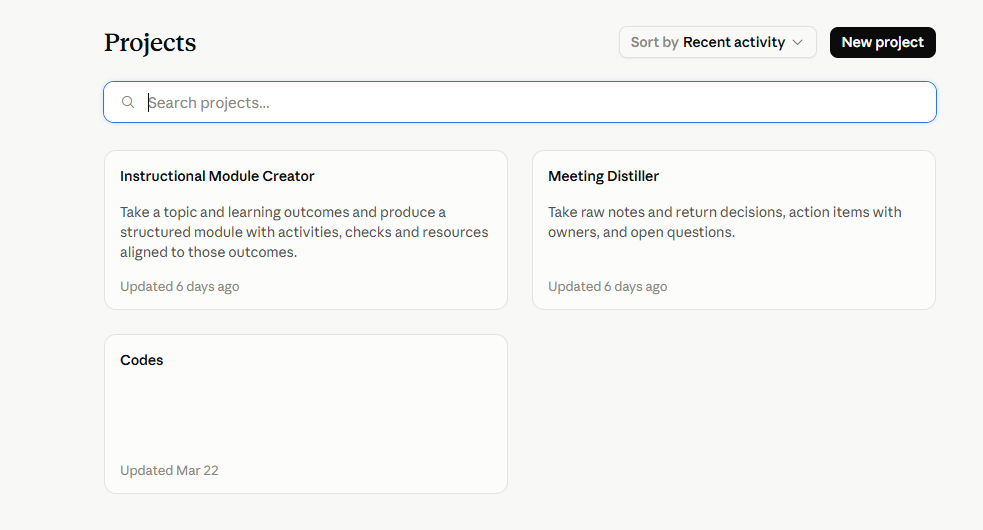
A workspace with persistent instructions and a large knowledge base of files. Claude reads across the project's knowledge on every message, with citations back to the source files.
Prompts to copy & adapt
Project system prompt for a paper-in-progress
When to use: Set as the Project's custom instructions.
This Project is the working folder for [PAPER]. The knowledge base contains the current draft, my reading notes, 12 key sources, and the target journal's author guidelines. My argument is: [ONE SENTENCE]. My audience is reviewers at [JOURNAL]. For every task: (1) cite the specific file you draw on, (2) never invent references, (3) match my voice. Hedged, specific, no marketing language, (4) when I ask for a rewrite, preserve every citation and flag any claim not supported by the cited source.
Ongoing-study Project. System prompt
Knowledge base: the pre-registered protocol, the codebook, prior analysis notes, and any results memos to date. For every request, ground in these files. Never propose analyses outside the pre-registered plan without flagging them as exploratory. When summarising results, distinguish confirmatory from exploratory findings and surface anything inconsistent with earlier memos in this Project.
Reviewer-feedback-loop prompt
Reviewer comments are uploaded to this Project as 'reviewer-1.pdf' and 'reviewer-2.pdf'. For each substantive comment: (1) classify as agree / partially agree / disagree, (2) draft a 3–4 sentence response in my voice, (3) list the exact change to make in the manuscript with the section and approximate line.
Claude Prompts
Five ready-to-use prompts that target distinct stages of research writing. From calibrating claims against your evidence to stress-testing your literature review and drafting responses to reviewers.
Prompts to copy & adapt
Tightening an argument without overclaiming
When to use: When your discussion section feels too strong or your claims outrun your data.
Review this discussion section and flag every sentence where the claim exceeds what my data can support. For each one, suggest a hedged alternative that stays accurate to my findings. My study used [design, sample size, method], so calibrate the language to that evidence base.
Stress-testing your literature review
When to use: When you suspect your literature review is too thin, too descriptive, or leans on a few sources too heavily.
Here is my literature review on [topic]. Act as a sceptical reviewer and identify: gaps I have glossed over, sources I am leaning on too heavily, claims that need a citation, and any places where I have summarised studies without synthesising them. Do not rewrite anything yet, just diagnose.
Drafting from a skeleton, not from nothing
When to use: When you have bullet-point arguments and want prose that stays faithful to your ideas.
I will give you my bullet-point argument for the introduction: [points]. Expand each point into prose in my voice, but do not add any claims, examples or citations I have not provided. If a logical step is missing between my points, flag it instead of inventing a bridge.
Responding to reviewers
When to use: When reviewer comments arrive and you need a measured, structured response.
Here is Reviewer 2's comment: [paste]. Here is the relevant section of my manuscript: [paste]. Help me draft a response that (a) addresses the substance of the concern, (b) specifies exactly what I changed and where, and (c) pushes back politely on the part I disagree with, with justification. Keep the tone professional but not grovelling.
Checking methods for reproducibility
When to use: Before submission, when you want to surface the omissions you are blind to.
Read my methods section as if you were a doctoral student trying to replicate this study with no access to me. List every decision point where you would have to guess: sampling, instruments, procedure, analysis. Phrase each as a question I need to answer in the text.
Dataset analysis and summary statistics
When to use: When you have a dataset and need a rigorous first-pass analysis with attention to assumptions and limitations.
I will upload a dataset (or paste a summary) for a study in [SUB-FIELD]. Please: (1) describe the variables and their measurement levels, (2) report appropriate descriptive statistics and distributions, (3) identify any data quality issues (missingness, outliers, inconsistencies), (4) suggest the most suitable inferential tests given the design and variable types, (5) interpret what the patterns might mean for my hypothesis that [HYPOTHESIS], while explicitly noting any assumptions you are making. Flag anything you cannot determine without the raw data.
Qualitative thematic analysis support
When to use: When you are coding interview or focus-group data and want a structured, reflexive first pass.
I will upload [NUMBER] interview transcripts (or field notes). Please help with an initial thematic analysis: (1) generate a preliminary codebook of 10–15 codes with brief definitions, (2) map these into 5–7 candidate themes, noting any hierarchical or overlapping relationships, (3) for each theme, provide 2 illustrative quotes with line references, (4) identify 2–3 negative cases or contradictory evidence, (5) suggest 2 follow-up analytic memos I should write to deepen the interpretation. Apply a [FRAMEWORK, e.g. reflexive / Braun & Clarke / constructivist grounded theory] lens. Do not invent quotes or participants.
Claude Connectors
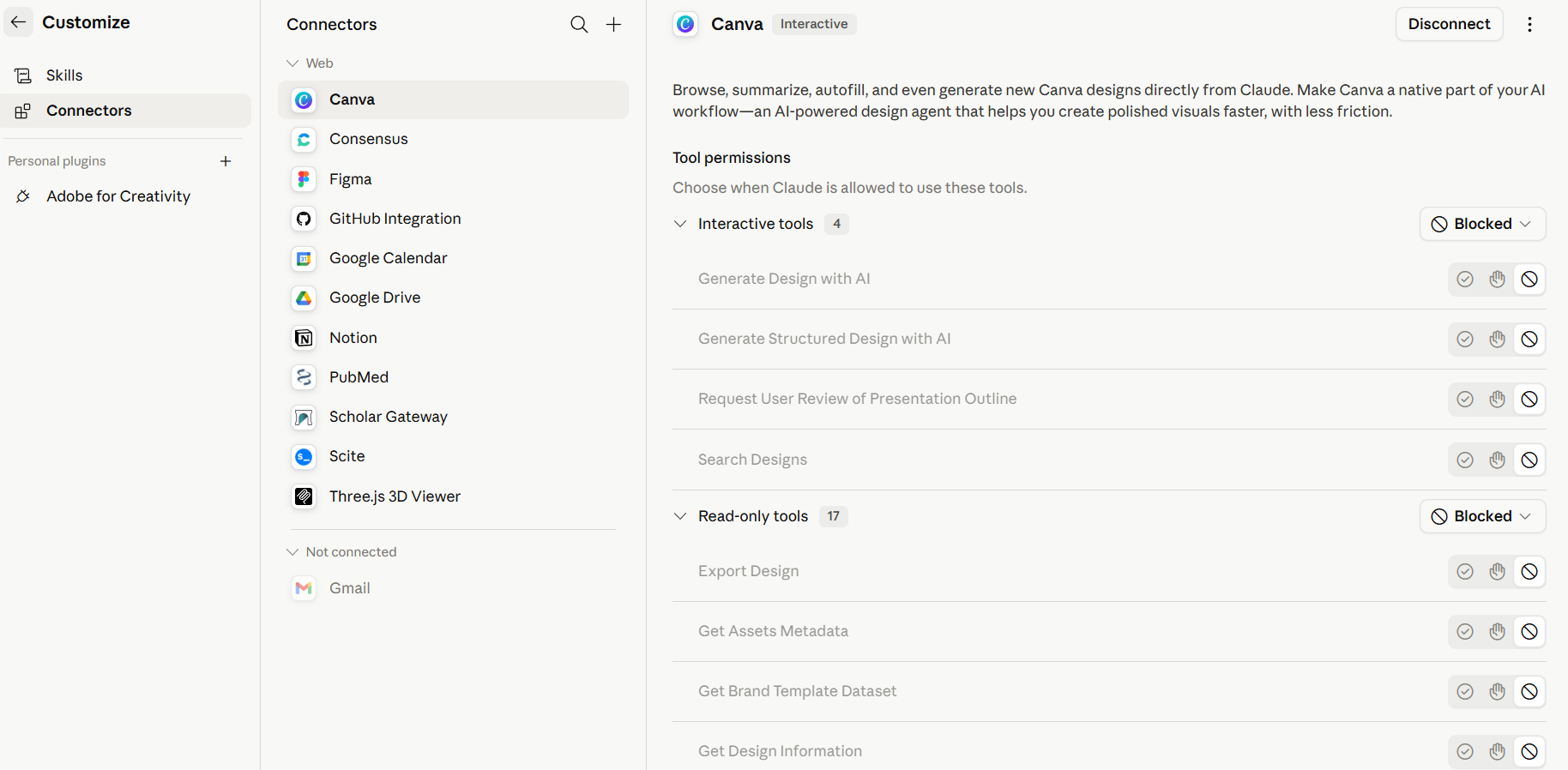
Connectors plug external services, Canva, Google Drive, Google Calendar, GitHub, Notion, PubMed, Scholar Gateway, Gmail, and more, directly into Claude. Once linked, Claude can browse, search, read, and (where you allow it) write to those services inside a normal conversation, with per-tool permission controls.
Claude Cowork
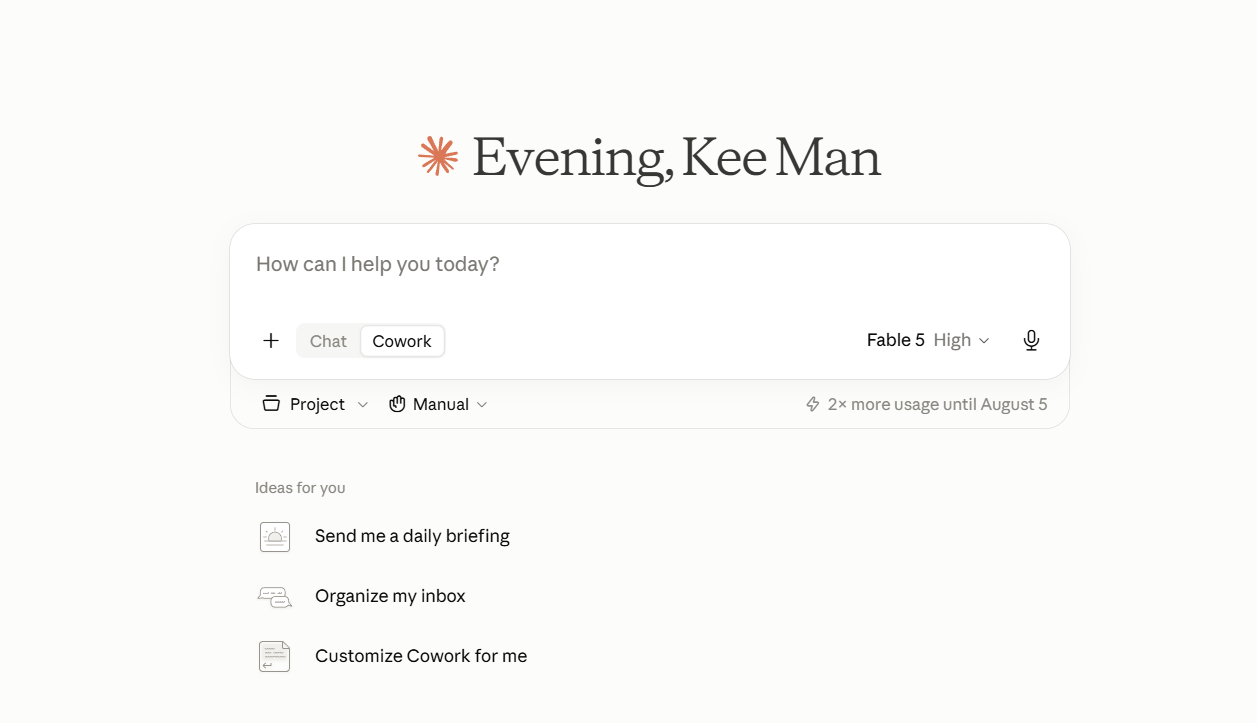
Cowork is Claude's agentic mode. Instead of replying turn-by-turn, Claude plans a multi-step task, runs code and shell commands, reads and writes to files you nominate, and delivers a finished artefact — a formatted document, a tidied folder, a spreadsheet, or a synthesised report. It is available both in the Claude Desktop app (using an isolated VM on your computer for local files) and in the cloud on Claude.ai and mobile apps, where it runs continuously on Anthropic's servers even after you close your laptop.
Key capabilities
Desktop & cloud
Use Cowork in the Desktop app for local file access, or in the cloud on Claude.ai and mobile apps for tasks that keep running even after you close your laptop.
Direct file access
Claude reads from and writes to folders or Projects you nominate. No manual uploads, no copy-paste round trips.
Sub-agent coordination
Complex jobs are broken into sub-tasks that Claude runs in parallel, then stitches together into one deliverable.
Professional outputs
Produces polished artefacts. Excel sheets with working formulas, PowerPoint decks, formatted Word documents.
Long-running tasks
Works for extended periods without the conversation timeouts or context limits that interrupt normal chats. Cloud Cowork continues on Anthropic's servers while you're away.
Scheduled tasks
Type /schedule to have Claude run a saved task automatically on a cadence. Useful for weekly reading digests or status reports.
Projects in Cowork
Group related tasks into a persistent workspace with its own files, instructions, and memory for recurring or long-running work.
Global & folder instructions
Set standing instructions for every session (tone, output format, your role) and add project-specific context per folder.
Full reference: Get started with Claude Cowork.
Prompts to copy & adapt
Format manuscript to journal template
When to use: You have a finished draft and the target journal's Word/LaTeX template. Upload both and let Claude reconcile them.
I have uploaded two files to this Project: (1) my manuscript draft, and (2) the target journal's template with its style guide. Reformat my manuscript to match the template exactly: section order and headings, citation style, reference format, figure/table numbering, and any word-count limits. Preserve my argument, data, and every citation verbatim. Do not rewrite for content. Produce a clean version and a change log listing every formatting adjustment you made so I can verify.
Audit manuscript against journal template
When to use: Before submission, when you want a systematic check that your draft meets every template requirement.
I have uploaded my formatted manuscript and the journal's official template/style guide. Audit the manuscript against the template and produce a checklist report: (1) required sections present or missing, (2) heading levels and numbering matching the template, (3) citation and reference format compliance, (4) abstract length and structure, (5) figure/table captions and numbering, (6) any word-count or page-limit breaches, (7) formatting anomalies (fonts, margins, line spacing). Flag each issue with its location in the manuscript and the exact template rule it breaks. Do not fix anything; just diagnose so I can decide what to change.
Turn article summaries into a critical literature review
When to use: You have a document of individual article summaries and need a synthesis that identifies gaps, tensions, and your research problem.
I have uploaded a document containing summaries of journal articles on [TOPIC]. Turn these summaries into a critical literature review: (1) group the studies by theme or theoretical approach, (2) identify where authors agree, disagree, or talk past each other, (3) surface methodological limitations that recur across the literature, (4) pinpoint 2–3 specific gaps that my research could address, (5) draft a one-paragraph research problem statement that builds directly from the most important gap. Preserve every citation. Do not add studies I have not summarised.