Gemini for Research
Four surfaces, Deep Research, Gemini Notebook, Gems and Canvas, that together cover open-web investigation, source-grounded reading, persistent specialists, and document-aware drafting.
- Run a Deep Research report you'd be willing to cite in a brief.
- Build a Gemini Notebook workspace from a week's assigned readings.
- Save your first Gem with role, constraints and refusal rules.
- Use Canvas to restructure a real piece of your own writing.
Gemini
by GoogleGoogle's AI assistant: Deep Research for multi-step web investigation, Gemini Notebook for source-grounded reading, Gems for reusable specialist personas, and Canvas for document-aware drafting.
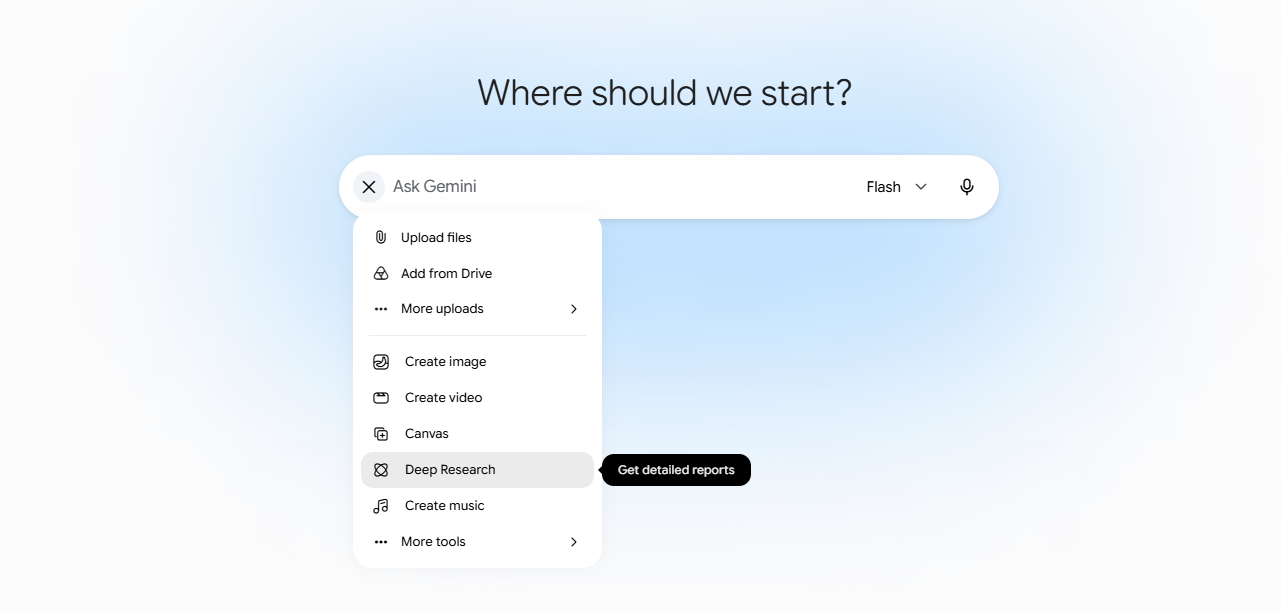
Deep Research
An agentic mode in Gemini that plans a multi-step web investigation, browses dozens of sources, and returns a structured, citation-backed report you can refine.
Prompts to copy & adapt
Sub-field scoping report
When to use: Preparing a new module or guest lecture in an adjacent area.
Act as a senior research librarian. Produce a deep-research report on the current state of [SUB-FIELD] from 2022 to today. Cover: (1) the 5–7 most cited works, (2) the major theoretical camps and their disagreements, (3) emerging methods, (4) open problems suitable for graduate research, (5) a reading order for a researcher new to the area. Cite every claim with a working URL. Flag low-confidence claims.
Recent-debate map
When to use: Updating a course week with the last 12 months of scholarship.
Map the live debates in [TOPIC] over the past 12 months. For each debate: name the position, list 2 representative papers or preprints with links, summarise the strongest argument and the strongest critique in 2 sentences each. End with 3 questions a doctoral student could pursue.
Annotated bibliography builder
When to use: Preparing a systematic review or annotated bibliography.
Compile a list of 20 highly relevant, peer-reviewed studies on [TOPIC] from the last [TIME RANGE]. For each entry: full citation, 2-sentence summary of findings, methodological approach, and a 1-5 relevance score to my focus. Sort by relevance. Flag any open-access links.
Linking with Gemini Notebook
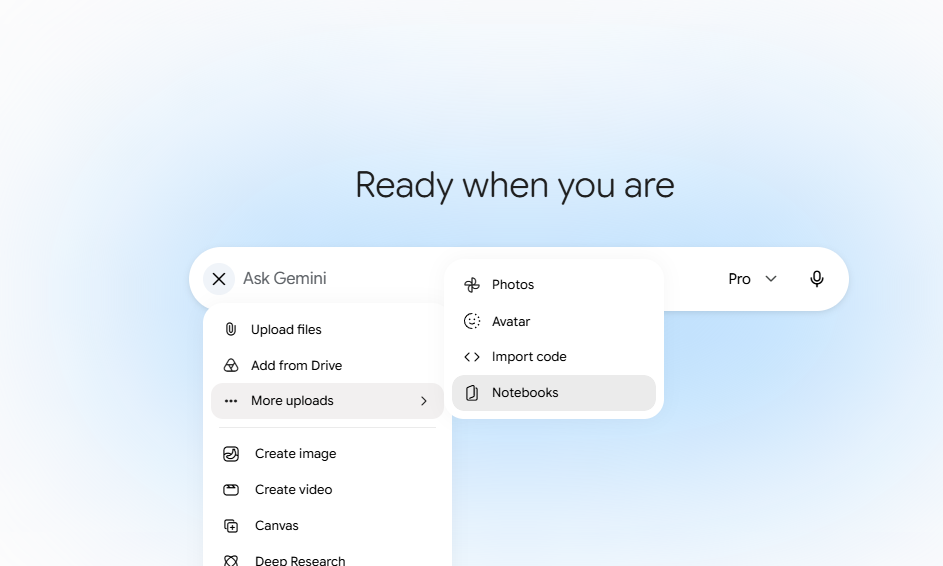
Gemini Notebook is a source-grounded notebook: you upload PDFs, slides, lecture transcripts, and links, and every answer is anchored to passages you can click back to.
Prompts to copy & adapt
Reading-pack synthesiser
When to use: After uploading the week's 6–10 assigned readings.
Across these sources, produce: (1) a 400-word synthesis written for an upper-undergraduate audience, (2) a table of where each author agrees and disagrees on [KEY CONCEPT], (3) 6 Socratic discussion questions, each anchored to specific source passages.
Gap-finder for a literature review
When to use: Drafting the 'gap in the literature' paragraph of a paper.
Based only on the uploaded sources, identify 3 questions that none of the authors directly address but several gesture toward. For each gap, quote the closest passage and suggest a study design that would answer it.
Draft a research problem from the source set
When to use: After linking Gemini with the Gemini Notebook workspace that contains all your compiled articles.
Based only on these sources, draft a one-paragraph research problem statement that: (1) opens with the broad scholarly conversation, (2) narrows to the specific tension or inconsistency across the sources, (3) states the gap this project addresses, (4) ends with one sentence on why answering it matters. Anchor every claim to specific source passages with clickable citations. Do not bring in outside sources.
Citation-audited research problem
When to use: When reviewers or supervisors have flagged your draft for unsupported claims.
Draft a one-paragraph research problem statement based only on the uploaded Gemini Notebook sources. Every sentence must end with a clickable citation linking to a specific source passage. No sentence is allowed without a citation. Structure: (1) open with the broad scholarly conversation, (2) narrow to the specific tension or inconsistency, (3) state the gap, (4) end with why it matters. After the paragraph, produce a numbered audit table listing each sentence, the source it cites, and the exact quoted passage. Do not bring in outside sources.
Gems
Reusable, named instances of Gemini with a saved system prompt, persona, and (optionally) reference files. Think 'a colleague you've trained to do one job well.'
Prompts to copy & adapt
Lit-Review Coach Gem. System prompt
When to use: Save this as the Gem's instructions, not as a one-shot chat.
You are a literature-review coach for a researcher in [FIELD]. When given a draft paragraph, you (1) name the implicit argument in one sentence, (2) flag any citation that is doing too much work, (3) suggest one missing counter-source, (4) rewrite the paragraph in the user's voice. Concise, hedged, no marketing language. Never invent citations. If unsure, ask.
Methods Critic Gem. System prompt
You are a peer reviewer for [SUB-FIELD] methods sections. For any methods text I paste, return: threats to validity (internal, external, construct, statistical), missing pre-registration details, ethics concerns specific to [POPULATION], and one alternative design that would strengthen causal claims. Be terse. Use bullet points.
Reviewer-Response Gem. System prompt
You help draft responses to peer-reviewer comments for papers in [SUB-FIELD]. For each reviewer comment I paste, return: (1) a classification (agree / partially agree / disagree / out-of-scope), (2) a 3–4 sentence response in a measured academic voice, (3) the exact manuscript change required with section and approximate line, (4) any new citation that would strengthen the response (mark as 'TO VERIFY'. Never assert it exists). Be terse and concrete.
Drafting with Canvas
An editable side-panel document inside Gemini. You can highlight a passage and ask for inline edits, generate sections in place, and iterate on long-form writing without losing structure.
Prompts to copy & adapt
Section-by-section grant rewrite
I will paste each section of a grant proposal into Canvas. For each, rewrite for a [FUNDER]-style reviewer: tighten the significance statement, surface measurable outcomes, and flag jargon a non-specialist reviewer will miss. Keep my methods unchanged unless I ask.
Grant aims & objectives shaper
When to use: You have a rough research idea and need to articulate clear, fundable aims.
In Canvas, draft a grant aims page for a [FUNDER, e.g. ESRC / NSF / Wellcome] proposal in [FIELD]. Structure: (1) one overarching aim in a single sentence that is neither too broad nor too narrow, (2) 3–4 specific objectives, each SMART and linked to a deliverable, (3) a 2-sentence rationale for why this sequence of objectives is the minimum needed to test the core hypothesis, (4) one line on how each objective maps to a work-package. Flag any aim that duplicates an objective or lacks an outcome measure.
Grant Literature Review
When to use: You need to write the literature review section of a grant proposal.
Draft a literature review section in Canvas for a [FUNDER] grant on [TOPIC]. Include: (1) a concise overview of the current state of the field, (2) identification of 3–5 key gaps or unresolved debates, (3) a clear statement of how your project fills one of those gaps, (4) critical engagement with the most relevant recent studies (last 5–7 years), (5) a short paragraph situating your methodology in relation to existing approaches. Write in formal academic prose suitable for a non-specialist reviewer. Cite sources by author–year and flag any claim that needs a supporting reference.
Grant budget justification
When to use: You have a draft budget table and need the narrative justification.
In Canvas, write a 2-page budget justification for a [FUNDER] grant. For each line item (personnel, equipment, travel, dissemination, contingency): state the cost, the role it plays in the project, and why it is essential rather than convenient. Cross-reference each item to the relevant work-package and objective. Flag any item that looks inflated relative to the funder's typical awards, and suggest a cheaper alternative if one exists. End with a sentence on value for money.
Introduction restructurer
When to use: You have a messy draft intro and a clearer argument in your head.
Open this draft introduction in Canvas. Restructure it into the standard funnel: (1) hook tied to a contemporary problem in [FIELD], (2) brief positioning against [PRIOR WORK], (3) the gap, (4) our contribution in 3 sentences, (5) roadmap. Preserve my voice and every citation. Mark any place where I am asserting something the cited source does not support.
Discussion-section scaffold
In Canvas, draft a Discussion section for a paper reporting [KEY FINDING] in [SUB-FIELD]. Structure: (1) restate the finding in one paragraph without overclaiming, (2) situate against the 3 closest prior studies I name, (3) mechanisms, 2 plausible explanations with the evidence for each, (4) limitations (sample, measurement, design), be honest, (5) implications for theory and for next studies. Hedged voice. Flag any sentence that asserts causation from a non-causal design.
Academic journal re-draft
When to use: You have a paper draft and want it rewritten for a high-tier journal.
I have uploaded my current draft manuscript. Rewrite it for submission to a reputable journal in [FIELD]. Keep the core argument and all cited sources, but: (1) elevate the register to formal academic English, (2) tighten every paragraph to the journal's word limits, (3) ensure the abstract follows the IMRaD structure, (4) replace any colloquial phrasing with discipline-standard terminology, (5) flag any weak claim that needs additional empirical support. Preserve every citation and bibliography entry verbatim; do not add new ones, remove existing ones, or alter their formatting.