NotebookLM for Research
A source-grounded notebook: every answer is anchored to the PDFs, slides, and links you upload, with clickable citations and Audio Overviews.
- Upload a curated source set and keep answers bounded to it.
- Generate synthesis, discussion questions, and gap analyses with passage anchors.
- Set the Configure Chat prompt so every response inherits your research-writing rules.
NotebookLM
by GoogleSource-grounded research notebook: every answer is tied to the sources you upload, with clickable citations and Audio Overviews.
Google's source-grounded research notebook. Upload PDFs, slides, lecture transcripts, web pages and YouTube links, and every answer is anchored to passages you can click back to. Generates summaries, study guides, briefing docs, mind maps and Audio Overviews from your own sources.
When you already have the sources and want answers grounded in them, not in the open web. Synthesising a reading pack, drafting a literature-review section, building discussion questions for a seminar, or producing an Audio Overview for students who prefer to learn aurally.
Reading-pack synthesiser
Across these uploaded sources, produce: (1) a 400-word synthesis for an upper-undergraduate audience, (2) a table of where each author agrees and disagrees on [KEY CONCEPT], (3) 6 Socratic discussion questions, each anchored to specific source passages with clickable citations.
Gap-finder for a literature review
Based only on the uploaded sources, identify 3 questions that none of the authors directly address but several gesture toward. For each gap, quote the closest passage and suggest a study design that would answer it.
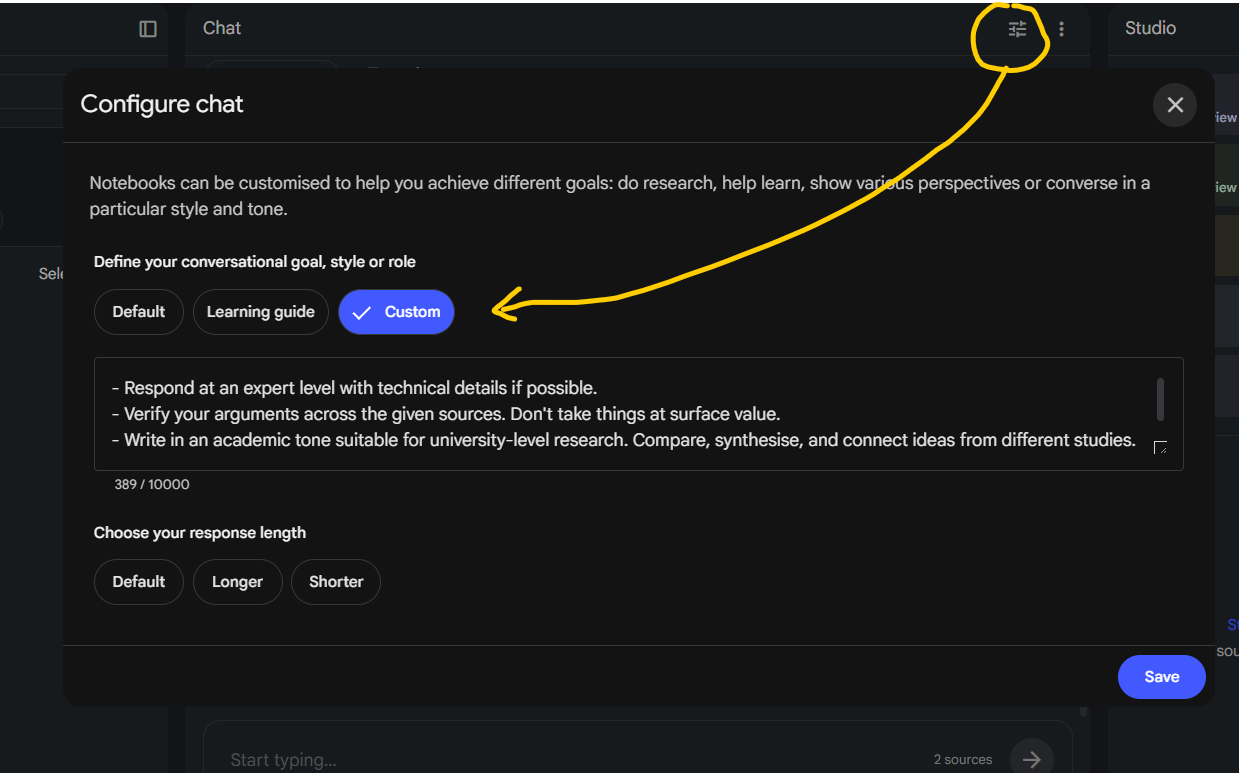
Configure Chat for research optimization
Respond as an expert academic research-writing assistant. Use precise, technical language and prioritise conceptual clarity, methodological rigour and defensible argumentation. Verify claims across the supplied sources rather than accepting them at face value. Identify agreement, contradiction, gaps, limitations and unsupported assumptions.

Use APA 7th edition author-date citations beside each source-supported claim, not only at the end of paragraphs. Do not invent citations or overstate what the evidence supports. Distinguish clearly between established findings, interpretation, speculation and unresolved debate.

When revising text, improve academic tone, argument structure, synthesis, coherence, paragraph logic and citation integration while preserving the author's intended meaning. Prefer synthesis over source-by-source summary unless requested. If evidence is weak, missing or ambiguous, state this directly.
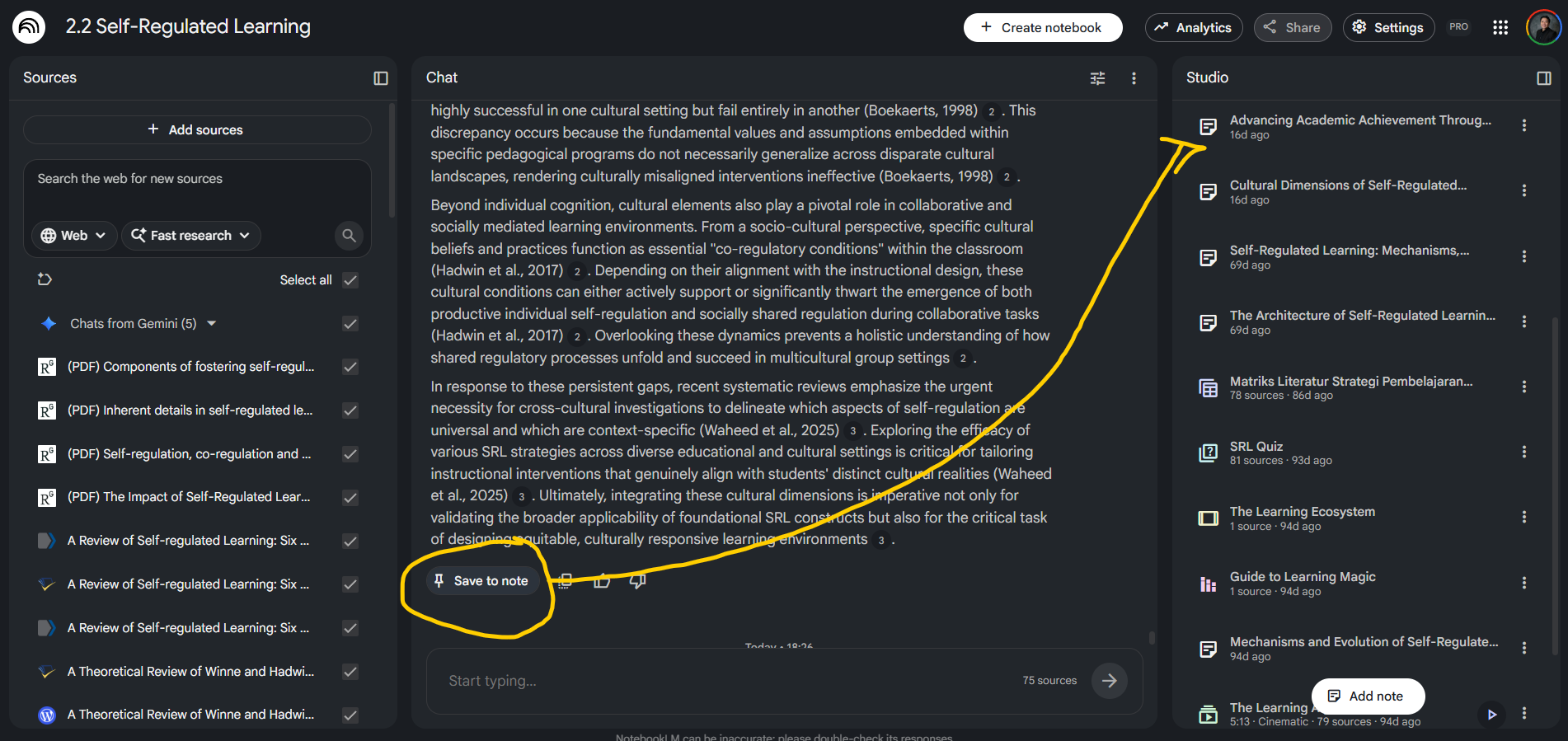
Convert chat answers into Notes and Sources
When to use: When NotebookLM produces a synthesis or framing you want to reuse across multiple prompts.
After NotebookLM generates a useful answer, click the 'Save to note' button below the response. Give the note a clear, searchable title. Open the note in the Studio panel and convert it to a Source when you want it to become part of the grounded corpus for future chat prompts.
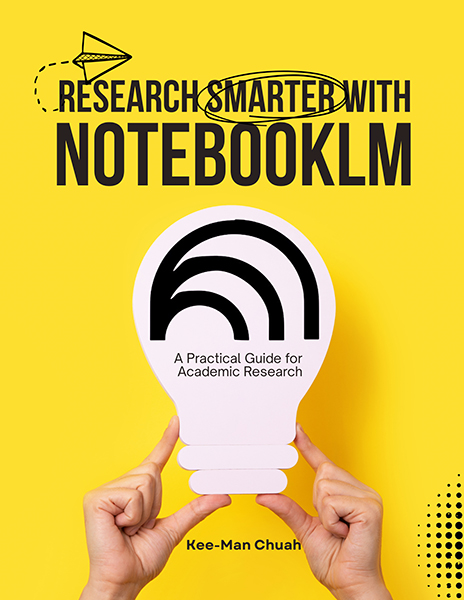
Research Smarter with NotebookLM
A Practical Guide for Academic Research by Kee-Man Chuah.
Download the PDF